DUNEDIN PUBLIC LIBRARIES APP
Stay Connected to the Library by downloading our app
Download the Dunedin Public Libraries app for quick and easy access to your local library on the go! The app provides a gateway to books, audiobooks, eBooks, films, events and information on library-delivered public services.
The app now allows you to check-out from anywhere within our libraries, using your own device. See the 'How to check-out in the app' section on this page for instructions.
The app is available for free from the App Store or the Play Store. Just search for Dunedin Public Libraries.
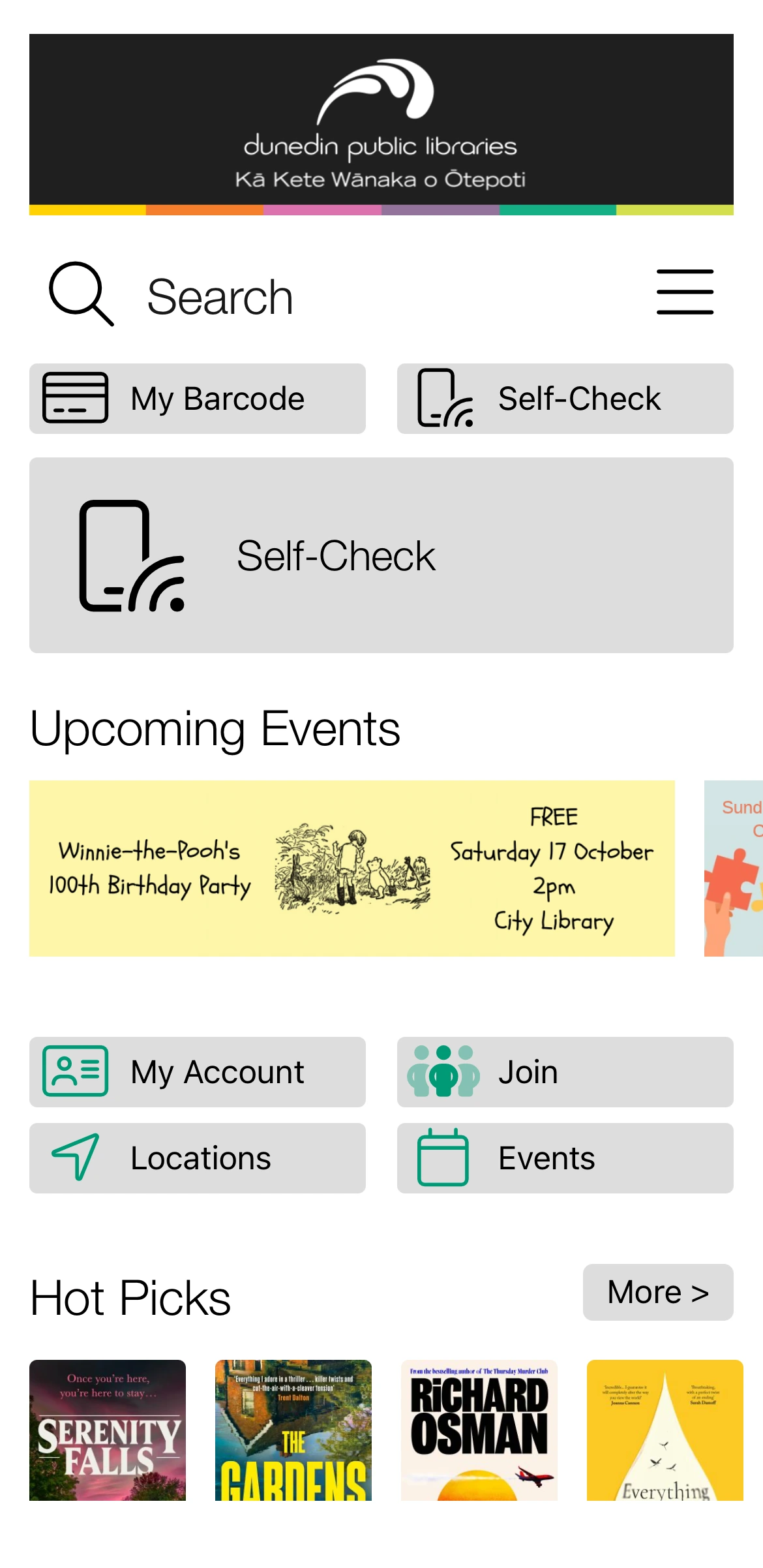
Key features:
- Digital card and self check-out:
- Use your digital library card to check-out
- Check-out items using your own device
- Save your library card to your digital wallet
- Manage your account:
- Place and manage holds
- Renew items
- Check item due dates
- Easy account access and linked accounts for the whole family
- Access, search and browse library collections:
- Search the library catalogue
- Browse new titles
- Check out eBooks and eAudiobooks
- Access digital library collections, e.g. Beamafilm and PressReader
- Information:
- Scan ISBN barcodes on books to see if the library has a copy
- Quick links to information about library services such as printing and Justices of the Peace
- Keep in touch with what’s happening in your library
How to check-out in the app:
1. Ensure the Dunedin Public Libraries app is installed and up-to-date, location permissions are enabled for the app, and you are signed in to your library account.
2. On the app home screen, tap the ‘Self-Check’ button.
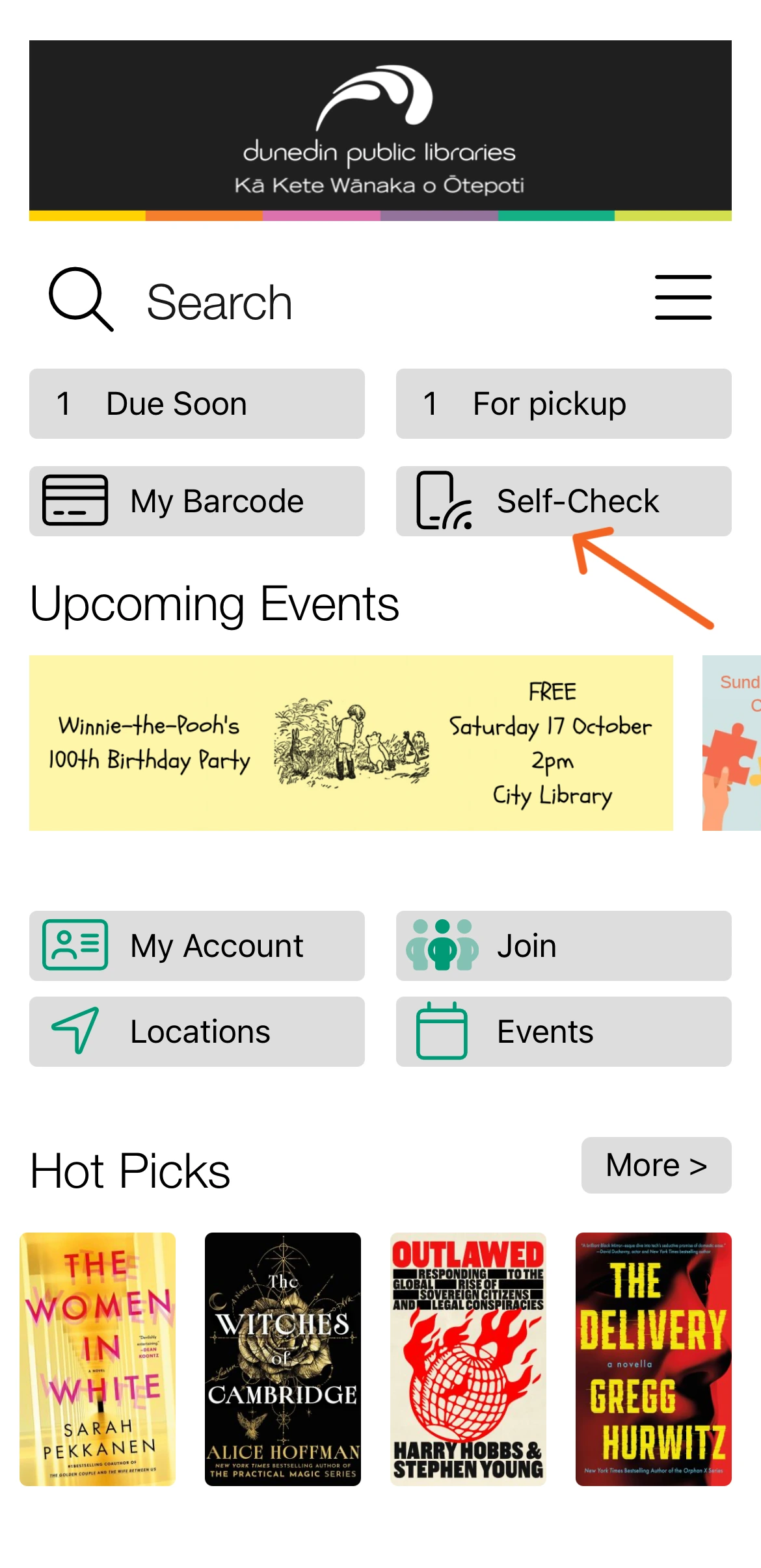
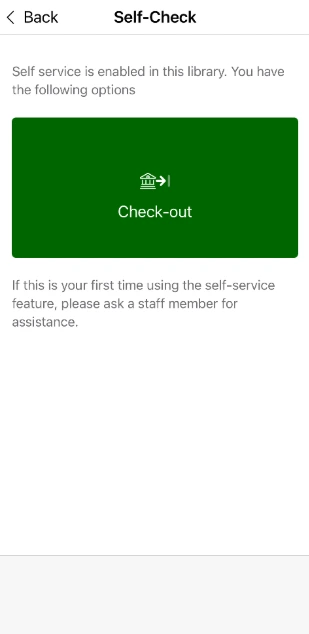
3. Tap the green box and follow the instructions to check out a book using your phone/mobile device!
Note – these screens may look slightly different depending on your device.
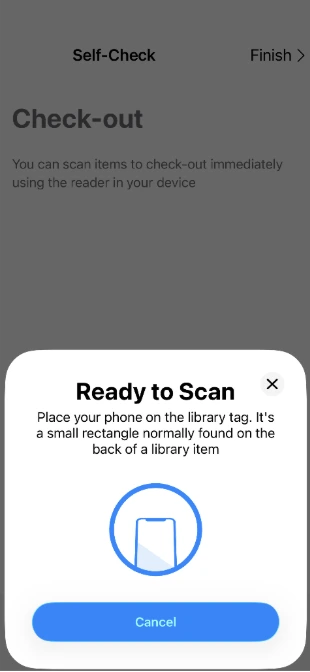
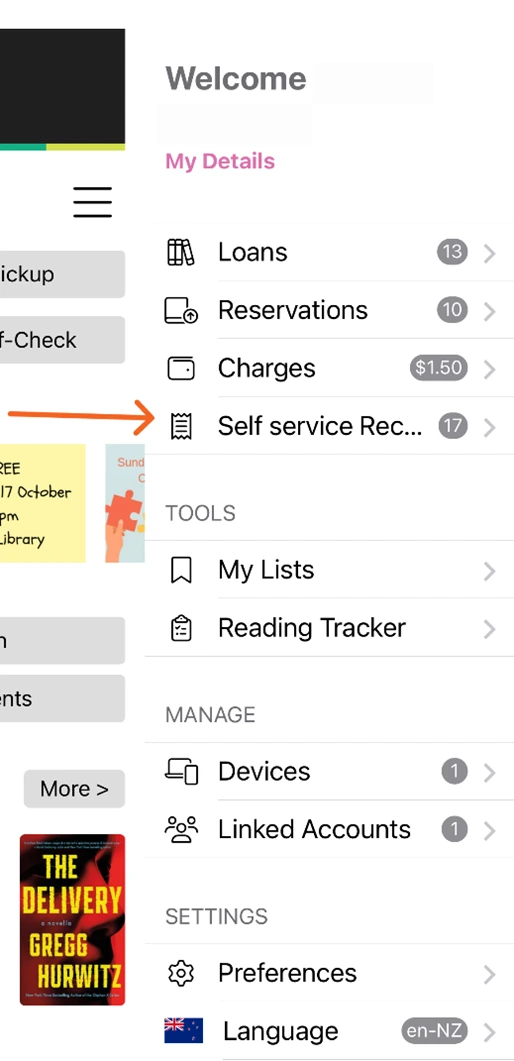
4. Once you have scanned all the items you want to check out, tap Finish. You can find receipts for your self-checkout sessions under ‘Self service Receipts’ in your account menu.
Library staff will be happy to assist you with any queries you have about using the self-checkout feature.
Contact Us